





A Betya login takes under a minute when the details are correct. Canadian users follow the same route. This page covers sign-in steps, mobile access, common errors and password recovery. Go straight to the section that matches your problem.
How to Complete the Betya Casino Login
The Betya casino login form sits in the same place on every page, so nothing needs to be downloaded. Open the site in your browser and have your account credentials within reach.

Enter the registered login details you chose when the account was created. The field label shows which one is expected.
- Go to the Betya Casino website.
- Locate the Login or Sign In option.
- Enter your registered login details.
- Read the entry back and fix typing errors.
- Submit the form.
- Wait for the account area to open.
If the page reloads or returns you to the same form, retype the details by hand.
Betya Login from a Mobile Device
The site opens in a mobile browser on Android phones, iPhones and tablets, so no separate download is needed.
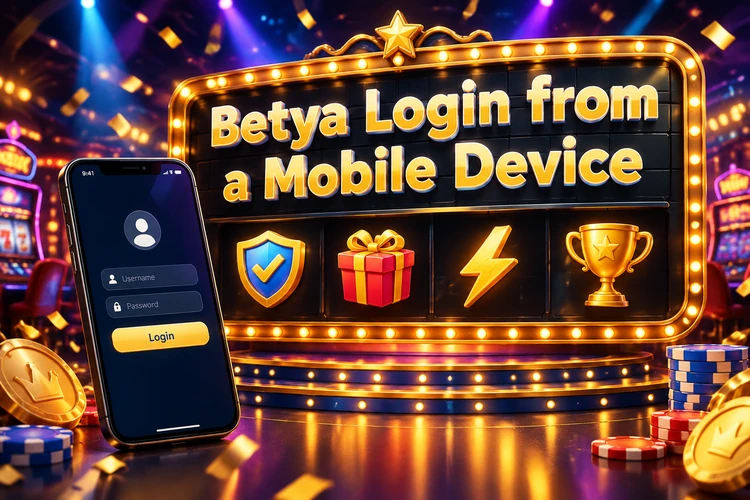
Mobile keyboards cause most failures. Autocorrect can alter a username, and a stray space can break an entry. Turn predictions off and use the show-password option where offered.
Betya Login Problems and Solutions
Most failed attempts come down to a mistyped detail, a changed password or a browser holding an old session. Work through the checks below in order.
Try each step in turn and stop once you can sign in.
Login Details Are Not Accepted
Retype both fields manually and watch upper and lower case. Set the correct keyboard layout, remove stray spaces, and turn off autofill to prevent an outdated entry.
Returning players reach the same form on desktop and mobile, so an existing account needs no separate setup or download.
Enter details only in the official login area, and never share a password with anyone who contacts you first.
The account opens in a phone browser, so it can be reached from Android, iPhone or a tablet without extra steps.
If recovery fails or access stays blocked, official support is the next step before you create another account.
Forgotten Password
If the password is genuinely lost, use the recovery function in the login area. Repeated guessing can lock the form for a while.
Browser or Device Issue
Refresh the page, clear cache and cookies, then try a private window. If nothing changes, open the site in another browser or test on a second device.
Temporary Login Error
Sometimes the sign-in step fails for technical reasons unrelated to your details. There is no fixed recovery time, so retry later instead of submitting repeatedly.
Account Access Problem
If the details are certainly correct and the form still refuses them, contact official support, describe what happens, and wait for their answer.
How to Reset Access to a Betya Account
Password recovery starts from the same login area. The service asks for the information it needs to match you to the account, then shows the next step.
- Return to the login area.
- Look for the password recovery option.
- Enter the account information requested.
- Follow the instructions on screen.
- Set a new password if asked.
- Sign in again with the new details.
Save the new password securely before closing the tab.
Tips for Safer Betya Login
Treat account credentials like banking details. A unique password and a checked web address prevent most trouble.
- Use a unique password no other site shares.
- Never share login details with anyone.
- Use the correct site address before entering your credentials.
- Ignore login links sent by message or email.
- Log out on shared or public devices.
If you are already signed in and want to see the current offer, read its terms first.
The coupon is for registered players who already know their login details. Sign in first, then open the offer terms before you decide whether it fits your play.
View offerAccess is for adults only, 18+, and the responsible gambling tools are there if play stops being casual.
When to Contact Betya Support
Troubleshooting covers the ordinary cases. Reach out once the checks above have failed.
- Password recovery does not work.
- Details are correct but access stays unavailable.
- Account information has changed.
- Technical errors appear on several devices.
- Account status needs clarification.
These are the cases where other players usually stop troubleshooting.
I mostly play live dealer tables on my phone during breaks, and the lobby loaded fine in the browser. Finding a blackjack table took seconds.
One login covered both the sportsbook and the slots, which saved a second registration. I checked the bonus terms first and they were easy to find.
Betya Bucks points showed up after a session on the slots, though I read the rewards page twice to see how they convert. Support answered my question the same evening.
I filtered the lobby by studio to find the providers I already know, then tried a new slot from the same list. The tabs made browsing quick on a laptop.
Write from the address linked to the account and include the time of the failing attempt; the contact page lists the open channels.
Work through the checks in order, and stop as soon as the account area opens.
Use your existing details in the login area. If they stop working, the recovery steps above come first.
FAQ
Open the site, choose the login or sign in option, and enter your registered account details. Submit the form and the account area should open.
Usually the details are mistyped, the password has changed, or the browser submits an old saved entry. A temporary technical fault or account issue can do the same.
Yes. The site runs in a mobile browser on Android phones, iPhones and tablets, with the same sign-in steps as on a desktop.
Return to the login area, choose the password recovery option, enter the requested account information, then follow the instructions and set a new password.
Retype the details, clear cache and cookies, and try another browser or device. If the problem persists across devices, contact official support.